Picking a garage door with a camera isn’t just a spec-shopping exercise. What matters most is how you’ll use it day to day, plus whether your setup (and smart home) actually plays nicely with the system. A lot of “best of” listings gloss over the real gotchas, like subscription requirements for video storage or whether the camera integrates with your existing garage opener.
Instead of repeating feature buzzwords, this article walks through which garage camera setup fits different needs. If you care about easy smart home control, want backup power when outages happen, or prefer a standalone security camera, the right option comes down to your garage layout and your daily traffic patterns.
List of Garage Door With Camera
This review evaluates garage door cameras through the lens of practical use cases. It highlights which products excel for families needing real-time alerts, tech-savvy users wanting AI-powered detection, or homeowners with older garage setups. By focusing on tradeoffs, like subscription costs versus upfront hardware, readers can identify the system that balances convenience, security, and budget for their unique situation.
Product-by-product explanation
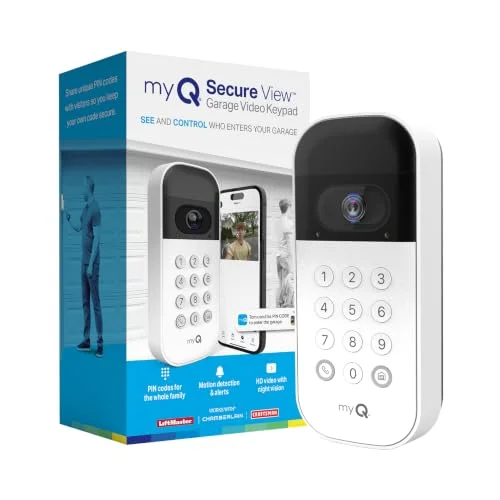
This video keypad swaps out traditional remote access for PIN-based entry and a built-in wide-angle camera. When motion is detected near your garage, it can send real-time alerts to your phone so you can view live video and (in supported modes) communicate with two-way audio. It’s designed to work with compatible Chamberlain/LiftMaster/Craftsman openers using myQ, so it can be a straightforward upgrade to an existing setup. If you want features beyond basic alerts, like more advanced detection, your myQ subscription typically comes into play after any trial period.
Best for: Homeowners who want keyless entry plus basic garage surveillance without replacing everything.
Not ideal for: Anyone who expects continuous recording or wants a solution that works with non-myQ smart home systems.
Decision cue: I’d shortlist it if you already own a compatible opener and want to add camera monitoring in one step.
Check Amazon
This is a complete garage door opener bundle with a fixed 3/4 HP belt-drive motor, a built-in camera, and battery backup. Through the myQ app, you can open/close and monitor your garage remotely, while the included lighting helps brighten the area. The camera can stream live video and push motion alerts, but recorded video history usually requires a subscription since there’s no local storage mentioned. It’s also geared toward quieter operation, which is helpful if your garage is close to bedrooms or living spaces.
Best for: Households replacing an older garage door opener who want smart access and surveillance together.
Not ideal for: Renters or homes where the garage door setup doesn’t need (or can’t support) a 3/4 HP motor.
Decision cue: Choose it when you’re upgrading the opener anyway and you want the camera built in.
Check Amazon
This version is the same smart garage door opener concept, but instead of running on a rechargeable battery, it uses a wired power adapter. That removes the “remember to recharge” part and helps keep the keypad running consistently. You still get the wide-angle camera, motion alerts, and two-way audio features, along with the same subscription expectations for advanced capabilities. It’s meant for the same compatible opener brands as the battery-powered version.
Best for: Homeowners who prefer a permanently powered keypad and have an outlet near the garage door.
Not ideal for: Homes without easy access to power or anyone who strongly prefers a wireless setup.
Decision cue: Pick this if you have a nearby outlet and want fewer maintenance steps.
Check Amazon
This battery-powered video keypad is designed to attach to compatible Chamberlain, LiftMaster, or Craftsman openers and add camera + alerting to your existing garage. You get the same wide-angle camera coverage, motion notifications, and two-way audio options as the wired variant, but it’s powered by a rechargeable battery. That makes it a good fit when you don’t have an outlet nearby. Like other myQ products, advanced features generally require a subscription after a trial.
Best for: Homeowners who want a wireless keypad/camera setup with an existing compatible opener.
Not ideal for: People who won’t stay on top of charging schedules or who want a fully maintenance-free, always-on system.
Decision cue: I’d choose this when placement flexibility matters and you can handle occasional recharging.
Check Amazon
This is a 3/4 HP chain-drive garage door opener with built-in camera and myQ connectivity, plus battery backup. Chain drive is often selected for durability, especially with heavier doors, and the included DC motor design aims to keep operation quieter than older chain systems. The camera provides live streaming and motion alerts, but video history isn’t local, subscriptions are typically required for recording features. It also includes lighting support via the two LED bulbs, though replacement bulbs may need to be purchased separately. Overall, it’s geared toward customers who want a robust opener paired with surveillance.
Best for: Homes with heavy garage doors that need a durable opener with smart monitoring.
Not ideal for: Owners of lighter doors or anyone who would rather stick with belt-drive for quiet operation.
Decision cue: Select this if your priority is a chain-drive opener with camera functionality for a high-use garage.
Check Amazon
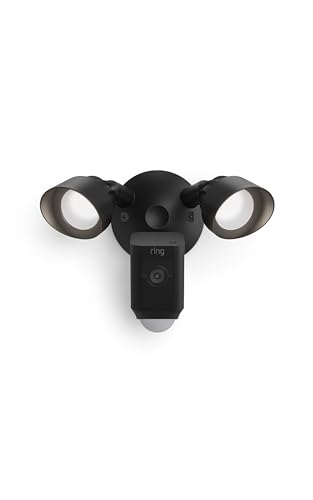
This floodlight camera is built for outdoor security, not direct garage door integration. It includes 1080p video, motion-activated LED floodlights for bright visibility, a 105dB security siren, and two-way audio. You can customize motion zones in the Ring app to focus on the areas you actually care about, like your driveway or a garage-side path. While it can complement other smart devices for broader coverage, it doesn’t replace or control garage door hardware. Like many floodlight cams, it’s designed to be hardwired for consistent power.
Best for: Homeowners who want strong perimeter deterrence with bright lighting and a loud siren.
Not ideal for: Anyone who wants direct garage door access control or myQ-based garage opener integration.
Decision cue: I’d consider it if your goal is monitoring the driveway/yard alongside your garage, not controlling the garage itself.
Check Amazon
This standalone 1080p security camera is aimed at flexible placement, with night vision, two-way audio, and a magnetic mount. It can sync with myQ garage door openers for unified control, but it also works on its own so you can mount it where it covers the spot you care about most. Bluetooth is used to simplify setup, and video history typically relies on subscription-based storage options (including multi-day choices mentioned in the listing). The magnetic base sticks to metal surfaces, and the camera can also be mounted using adhesive or hardware. It’s a good fit for renters or anyone who prefers a portable, moveable camera rather than permanent garage-door integration.
Best for: People who want a camera that can move with them or cover multiple areas over time.
Not ideal for: Homeowners who want built-in garage door control without adding additional components.
Decision cue: Choose it if you want a portable camera that integrates with myQ but doesn’t require permanent installation.
Check Amazon
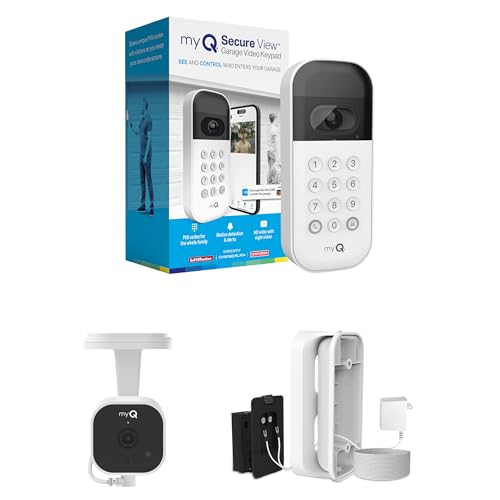
This starter kit bundles a video keypad, a wired power adapter, and a 2K Wi‑Fi plug-in camera. The keypad gives you PIN-based entry plus motion alerts, while the camera provides higher-resolution video and night vision. Together, it’s positioned as an all-in-one garage monitoring setup. Advanced features like AI detection and video history typically require a myQ subscription. This is best when you’re starting from scratch and want both access control and surveillance in one package rather than buying separately.
Best for: Homeowners who want keyless entry and higher-definition garage surveillance together.
Not ideal for: Anyone who already owns a myQ-compatible opener and only needs a camera (or only needs a keypad).
Decision cue: Opt for this if you don’t already have the components and want the bundle approach.
Check Amazon
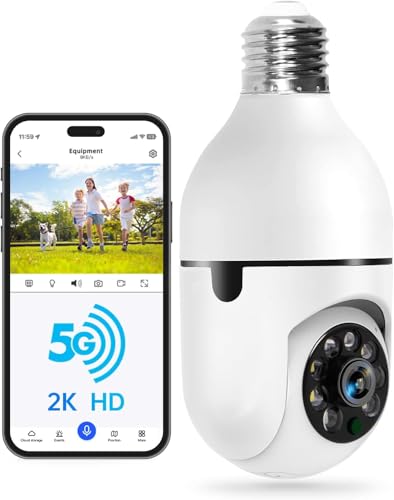
This light bulb security camera screws into a standard E27 socket and is designed to stay discreet while delivering 2K video, color night vision, and two-way audio. It supports both 5G and 2.4GHz Wi‑Fi so you can aim for a stable connection. The camera is motion- and human-detection capable, and it rotates for wider coverage, up to 355 degrees horizontally and 90 degrees vertically. Storage options are usually split between cloud and micro SD cards. It’s also compatible with Alexa, which can make it easier to fit into an existing smart home setup. The main tradeoff is that it’s not a dedicated garage-door control system.
Best for: People who want a hidden, multitask camera that also functions as lighting.
Not ideal for: Anyone who wants a purpose-built garage security setup with access control tied to the opener.
Decision cue: Pick this if you want a dual-purpose light/camera solution for indoor or outdoor placement where a spotlight-style camera isn’t ideal.
Check Amazon
Reader questions answered
Do I need a subscription for video storage or advanced features?
Most garage door cameras with smart features rely on a subscription for video history, AI detection, or continuous recording. Free trials are common, but the long-term costs can add up. Some standalone cameras, like the Ring Floodlight Cam or the light bulb style camera, may offer cloud or local storage options without a subscription for basic alerts, but they often don’t integrate with garage door control. Before buying, check exactly which features sit behind a paid plan.
| Product |
Answer |
Why |
| myQ Smart Garage Door Video Keypad with Wide-Angle Camera,… |
Yes, for video history and AI detection. |
Recorded video and intelligent alerts typically require a myQ subscription after any free trial. |
| Chamberlain Garage Door Opener 3/4 HP Belt Drive myQ Garag… |
Yes, for video history. |
Live video works, but recorded footage usually needs a subscription. |
| Ring Floodlight Cam Wired Plus, Outdoor home or business s… |
No, but limited functionality. |
Ring Floodlight Cam can send alerts for basic monitoring, but access to recorded video history is where plans may come in. |
| myQ Smart Garage Security Camera – 1080p HD Video, Night V… |
Yes, for video storage. |
Subscription-based storage is typically needed for 7- or 30-day video history. |
| WESECUU Light Bulb Security Camera -5G& 2.4GHz WiFi 2K Sec… |
Optional, for cloud storage. |
Local micro SD storage and/or paid cloud storage may both be options depending on the setup. |
Can I install this myself, or do I need a professional?
Installation difficulty varies across this category. Video keypads and standalone cameras are often DIY-friendly, while garage door openers with built-in cameras may require more careful setup and, in some cases, professional help. Wiring availability, garage door weight, and compatibility with your existing opener are the big factors that change the difficulty level. Always verify manufacturer guidance and your own comfort with electrical work before starting.
Will this work with my existing garage door opener?
Compatibility is mostly about the opener brand/model and whether the system is myQ-enabled. Many myQ devices work with Chamberlain, LiftMaster, and Craftsman openers, but older or non-compatible units may not integrate. Standalone cameras don’t need opener compatibility, but they won’t provide garage door control. Before purchase, confirm your existing opener model and the exact compatibility list tied to the product.
| Product |
Answer |
Why |
| myQ Smart Garage Door Video Keypad with Wide-Angle Camera,… |
Yes, if compatible with Chamberlain, LiftMaster, or Craftsman. |
The device is built to work with myQ-enabled openers from these brands. |
| Chamberlain Garage Door Opener 3/4 HP Belt Drive myQ Garag… |
N/A, replaces your opener. |
This is a full opener with camera, not an add-on keypad. |
| Chamberlain 3/4 HP Chain Drive Smart Garage Door Opener wi… |
N/A, replaces your opener. |
A complete chain-drive opener with camera, not a separate accessory. |
| Ring Floodlight Cam Wired Plus, Outdoor home or business s… |
No, standalone security device. |
Ring Floodlight Cam is for outdoor monitoring rather than garage door integration. |
| myQ Smart Garage Starter Kit: Garage Door Video Keypad + W… |
Yes, if compatible with Chamberlain, LiftMaster, or Craftsman. |
Designed around myQ-enabled openers and the related keypad/camera use case. |
How does the camera perform in low light or at night?
Night vision varies by model. Some cameras provide color night vision; others rely on infrared for black-and-white footage. Floodlight-style cameras improve visibility by lighting the scene with motion-activated LEDs, which can be a big deal for clarity. Standalone garage cameras may lean on infrared LEDs instead. Check your garage’s lighting and the type of night detail you want before choosing.
What happens during a power outage?
Outage performance depends on whether the device has battery backup or is strictly wired. Openers that include battery backup can keep working during outages. Battery-powered keypads and cameras keep going until their battery runs low, while wired devices may lose power when the lights go out. Floodlight-style wired cameras typically require hardwiring and won’t behave like battery-backed systems. If outages are a concern, prioritize products with backup power or plan for alternative power access.
What the comparison teaches
Subscription costs add up over time.
Many garage door cameras with smart features require ongoing subscriptions for video storage, AI detection, or more advanced alerts. Even with free trials, the total cost over time can surpass what you paid for the hardware. Think about which features you’ll actually use before committing.
Built-in cameras offer convenience but limit flexibility.
Openers with built-in cameras are simpler because they unify access control and monitoring. The downside is they’re often less flexible than standalone cameras, which can be moved, repositioned, or upgraded independently. If you like modular setups, consider a separate camera paired with your opener.
Battery-powered devices trade convenience for maintenance.
Battery-powered keypads and cameras can avoid wiring hassles, but they do require recharging or eventual battery replacement. Wired devices are generally more consistent, but may require more involved installation. Choose based on how much maintenance you’re comfortable with and whether you have power where it’s needed.
Floodlight cameras excel at deterrence but lack garage integration.
Floodlight cameras like the Ring Floodlight Cam offer bright lighting and a loud siren to deter intruders. But they don’t integrate with garage door openers or provide garage access control. If you want both surveillance and garage management, pair a floodlight cam with a compatible opener.
Smart home compatibility varies by ecosystem.
Not every garage door camera system works with every smart home platform. myQ devices are commonly compatible with Alexa and Google Assistant, while Ring often aligns more strongly with Alexa. Verify compatibility with your existing setup so you don’t end up stuck.
Before you buy
- Confirm your garage door opener’s brand and model so the myQ camera features are actually compatible.
- If the device is wired, check for a nearby power outlet before committing.
- Look at your garage lighting (and where shadows fall) to decide whether you’ll need color night vision or infrared is fine.
- Review subscription pricing for video history and any “advanced” detection features before you buy.
- Double-check smart home compatibility with your preferred platform (Alexa, Google Assistant, etc.).
- Test whether the camera’s field of view would cover your driveway and garage entry points from where you’ll mount it.
- Scan recent reviews for motion detection accuracy, missed events, and false alerts.
Final takeaway
The right garage door with a camera depends on what you’re trying to protect and how you want alerts and access to work. If you’re replacing an opener, the Chamberlain 3/4 HP Belt Drive with a fixed camera is built for a seamless all-in-one setup. If you’re adding surveillance to an existing system, the myQ Smart Garage Door Video Keypad (battery or wired power versions) is a practical way to get camera monitoring without replacing your whole setup. Standalone options, like the myQ Security Camera or Ring Floodlight Cam, are better when you want property perimeter coverage without garage-door control. Balance tradeoffs like subscription costs, installation complexity, and smart home compatibility to match your home.
FAQ
Can I use a garage door camera without a subscription?
Yes, but expect limits. Many cameras provide live streaming and basic alerts without a subscription, while features like video history, AI detection, and advanced motion detection zones often require a paid plan. Some standalone cameras include local storage options (like micro SD cards) to reduce or avoid ongoing fees.
How secure are garage door cameras from hacking?
Reputable brands like Chamberlain and Ring use encryption and push firmware updates to improve security. To tighten your setup further, enable two-factor authentication, use strong unique passwords, and keep your Wi‑Fi network secure. Avoid no-name or ultra-cheap off-brand cameras when possible, since security support may be inconsistent.
Do garage door cameras record continuously?
Most garage-related cameras record primarily when motion is detected to conserve storage and power (especially on battery-powered devices). Continuous recording often requires a subscription and may not be supported by every model. If you specifically need continuous recording, check the product’s feature details first.
Can I control my garage door with a camera from my phone?
Yes, if the camera system integrates with a smart garage door opener. With compatible products like Chamberlain’s myQ opener or the myQ video keypad, you can often control and check status from a smartphone app. Standalone cameras like the Ring Floodlight Cam can monitor remotely, but they don’t provide garage door control.
What’s the difference between a video keypad and a standalone camera?
A video keypad combines PIN-based entry with a camera, so it can do both access control and surveillance. It usually attaches to an existing garage door opener. A standalone camera focuses on monitoring and may include features like two-way audio or floodlights, but it won’t manage your garage door itself. Pick based on whether you need access management or just camera coverage.